
Appearance
配置文件拒绝访问
如果看到:
text
Error loading config.toml: 拒绝访问 (os error 5)这不是安装失败,而是当前 Windows 用户没有读取 .codex\config.toml 的权限。
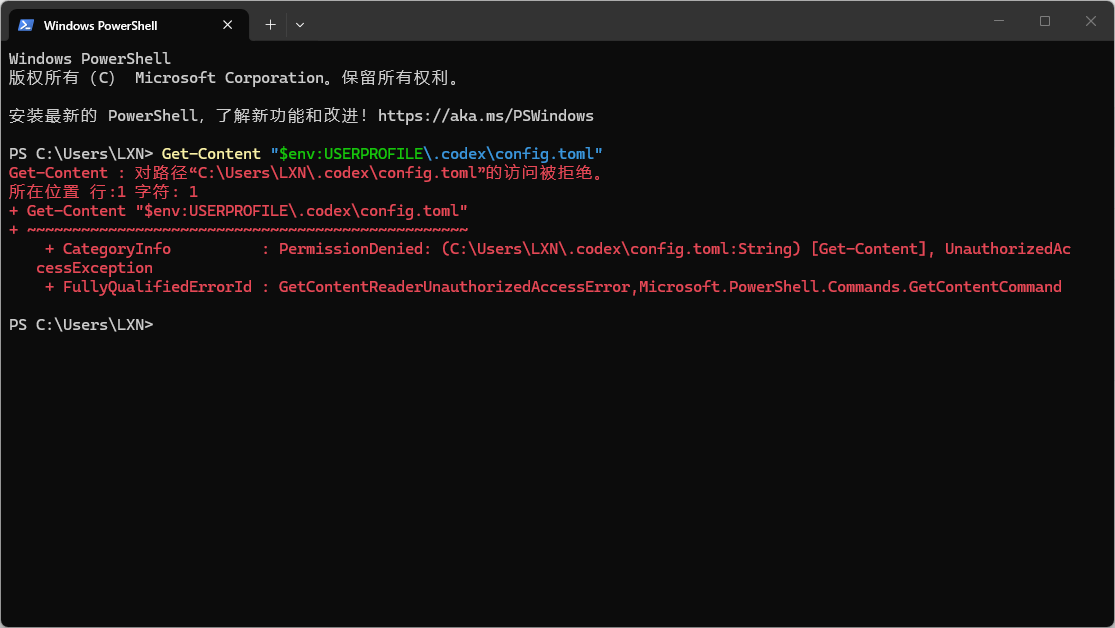
先检查文件
在普通 CMD 中执行:
cmd
if exist "%USERPROFILE%\.codex\config.toml" (echo 配置文件存在) else (echo 配置文件不存在)
type "%USERPROFILE%\.codex\config.toml"
如果提示“找不到文件”,直接看本文最后的“重新创建配置文件”。如果提示“拒绝访问”,继续修复权限。
修复整个 .codex 目录
以管理员身份打开 CMD,逐行执行:
cmd
set "CODEX=%USERPROFILE%\.codex"
set "USER=%COMPUTERNAME%\%USERNAME%"
takeown /f "%CODEX%" /r /d y
icacls "%CODEX%" /reset /t /c
icacls "%CODEX%" /grant:r "%USER%:(OI)(CI)F" /t /c
看到“成功处理文件,失败 0 个”后,关闭管理员 CMD,重新打开普通 CMD,再运行:
cmd
type "%USERPROFILE%\.codex\config.toml"
codex
只修复 config.toml 文件
如果目录修复后仍然拒绝访问,在管理员 CMD 中执行:
cmd
set "CONFIG=%USERPROFILE%\.codex\config.toml"
set "USER=%COMPUTERNAME%\%USERNAME%"
takeown /f "%CONFIG%"
icacls "%CONFIG%" /inheritance:e
icacls "%CONFIG%" /remove:d "%USER%" /c
icacls "%CONFIG%" /grant:r "%USER%:(F)" /c
icacls "%CONFIG%"
输出中应能看到当前用户的 (F) 权限,并且没有针对当前用户的 DENY。
重新创建配置文件
如果文件不存在,或权限显示成功但普通用户仍无法读取,先在管理员 CMD 中备份并删除旧文件:
cmd
set "CONFIG=%USERPROFILE%\.codex\config.toml"
copy "%CONFIG%" "%USERPROFILE%\Desktop\codex-config-backup.toml"
del /f "%CONFIG%"
如果 copy 提示找不到文件,说明原配置本来就不存在,可以忽略这一步的提示。
关闭管理员 CMD,打开普通 CMD,执行:
cmd
mkdir "%USERPROFILE%\.codex"
type nul > "%USERPROFILE%\.codex\config.toml"
if exist "%USERPROFILE%\Desktop\codex-config-backup.toml" copy "%USERPROFILE%\Desktop\codex-config-backup.toml" "%USERPROFILE%\.codex\config.toml" /y
type "%USERPROFILE%\.codex\config.toml"
codex
%CODEX_HOME% 没有输出是正常的,表示 Codex 使用默认目录:C:\Users\你的用户名\.codex。
WARNING
只对自己的 .codex 目录执行权限修复,不要把命令中的路径改成系统目录。日常运行 Codex 使用普通 CMD 即可。